Seo Automation Platform Free Trial: Pricing, Options and How to Get Started
Test the top autonomous content platforms. Compare trial terms, pricing, workflows, and learn how to run a proper WordPress SEO software trial.

SEO Automation Platform Free Trial: Pricing, Options, and Evaluation Guide
Starting an seo automation platform free trial lets you test hands-free keyword research, content production, auditing, and publishing before committing budget. The goal during any evaluation is simple: verify that the software produces high-grade, indexable content and connects directly to your CMS without creating manual work.
Most modern tools promise complete autonomy. Yet, their trial restrictions, publishing capabilities, and actual output quality vary widely. Some give you full access for a limited run of articles. Others restrict publishing webhooks or hide site-auditing features behind paid walls.
This guide breaks down current pricing models, compares standalone software against WordPress tools, and gives you a structured test plan to evaluate any platform during your trial period.
Core Features to Test During a Free Trial
Do not waste trial credits on single prompt experiments. To properly evaluate autonomous software, test the entire pipeline from research to live publication.
`
Target Keyword → Topic Clustering → Content Generation → Media Embeds → Internal Linking → WordPress REST API Publish
`
Look closely at these four capabilities during your test:
1. Autonomous Content Production
A basic AI writer requires you to paste outlines, tweak paragraphs, and manually download files. True autonomous systems handle research, write comprehensive text, insert structured markdown, and generate contextual media without manual supervision. Verify whether the tool creates factual copy that matches search intent.
2. Built-in Content Auditing
Before publishing fresh articles, you need visibility into what already ranks and where topic gaps exist. An automated content audit tool for wordpress should crawl your sitemap, identify underperforming pages, and suggest exact keywords to target next.
3. CMS Connectivity
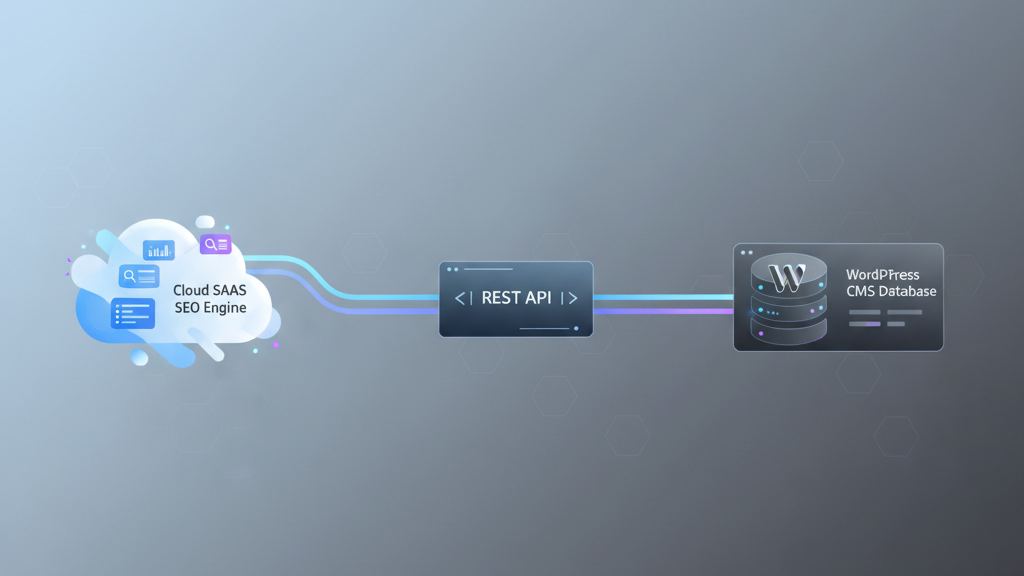
Exporting markdown files to copy and paste into your dashboard wastes hours. The platform must connect via standard protocols like the WordPress REST API to push drafts or live posts with correct categories, tags, URLs, and featured graphics.
4. Search Engine Alignment
Every generated piece must follow Google Search Central helpful content guidelines. Test whether the trial output includes natural headers, answers key search queries directly, and avoids robotic sentence loops.
WordPress Automated Publishing Plugin vs SaaS Platforms
When you set out to buy wordpress seo automation software, you will choose between two architectures: local plugins installed on your server or dedicated cloud SaaS applications.
Understanding the trade-offs between a wordpress automated publishing plugin vs saas engine prevents technical headaches down the road.
| Feature | Local WordPress Plugins | Cloud SaaS Platforms |
|---|---|---|
| Server Load | High (crawling and heavy generation strain PHP/MySQL) | Zero (processing happens on external cloud servers) |
| Site Speed Impact | Can slow down admin dashboard during batch runs | None |
| API Key Management | Requires your own OpenAI/Claude API keys | Handled within the platform subscription |
| Image Creation | Limited local image processing | Cloud-generated, web-ready images uploaded directly |
| Cross-Site Management | Must be installed and configured on every site | Single dashboard manages multiple connected domains |
| Cost Predictability | Unpredictable token costs per API call | Fixed monthly or annual tiers with set output quotas |
Local plugins appeal to users who want direct control over raw API tokens. Still, executing large-scale audits, keyword clustering, and multi-article publishing queues directly within WordPress often overloads shared hosting environments.
Cloud SaaS platforms run heavy computations on external servers. Once an article passes quality checks, the SaaS platform uses authenticated endpoints to deliver the finished post directly into your WordPress site database as a published post or pending draft.
Top SEO Automation Platforms: Free Trials, Features, and Pricing
If you plan to buy autonomous seo software, here is how the primary contenders compare regarding trial availability, core features, and base subscription costs.
| Platform | Free Trial / Entry Model | Starting Price | WordPress Publishing | Full Autonomous Pipeline |
|---|---|---|---|---|
| SEO Automator | Free trial with full pipeline access | Subscription plans | Yes (Direct REST API) | Yes (Audit, Plan, Write, Publish) |
| Surfer SEO | Paid 7-day trial ($7) | $89/month | Via plugin add-ons | Partial (Requires manual writer review) |
| Koala Writer | Free 5,000-word test credits | $9/month | Yes (Webhook / WP Plugin) | No (Focuses on single-article generation) |
| Jasper | 7-day free trial (credit card required) | $49/month | Zapier or manual export | No (Requires human prompt orchestration) |
| Byword | 5 free sample credits | $99/month (batch tier) | Yes (WP integration) | Partial (Batch writing focus) |
SEO Automator
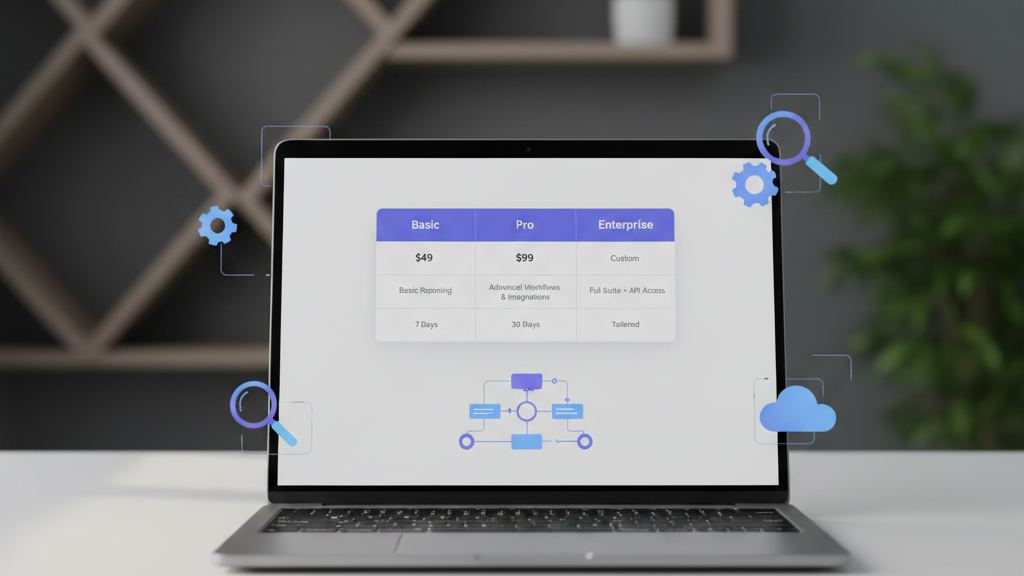
SEO Automator functions as an autonomous SEO content operating system. Instead of acting as a prompt box, it handles end-to-end execution. It connects to your WordPress or Lovable website, runs automated site audits, maps out keyword clusters, produces full-length content with illustrations, and publishes directly to your CMS on a defined schedule.
- Trial Offering: Test live content generation and direct publishing workflows.
- Strengths: Autonomous workflow, built-in site auditing, scheduled automated publishing, zero prompt engineering required.
- Best For: Site owners, agencies, and content publishers wanting a hands-off organic growth engine.
Surfer SEO
Surfer is an optimization suite known for real-time content scoring against top-ranking SERP competitors. While Surfer AI can generate articles, it works primarily as an editor-assist platform rather than an autonomous publisher.
- Trial Offering: No free tier; offers short paid trial periods.
- Strengths: In-depth SERP correlation data and NLP keyword recommendations.
- Best For: Content teams that manually write and edit articles within a web app.
Koala Writer
Koala is a popular AI writer using real-time search data to produce long-form posts. It lets users push articles directly to WordPress via webhooks. If you want to review other tools in this category, read our breakdown of Koala Writer alternatives compared and ranked.
- Trial Offering: 5,000 free words upon signup.
- Strengths: Quick single-article creation with integrated web search citations.
- Best For: Bloggers needing fast one-off drafts.
How to Run an Automated Content Audit Tool for WordPress During Your Trial
Evaluating an automated content audit tool for wordpress requires testing its diagnostic accuracy on real pages. Use this step-by-step method during your platform evaluation:
`
Connect Domain → Crawl Sitemap → Detect Content Cannibalization → Flag Thin Pages → Export Action Plan
`
- Connect your sitemap: Add your domain URL or sitemap link to the audit interface. A solid platform will crawl existing URLs without putting load on your server.
- Review content decay analysis: Check whether the software flags older posts that have lost organic impressions over the past 3 to 6 months.
- Inspect keyword cannibalization reports: The audit should highlight instances where two or more of your URLs compete for the exact same query.
- Evaluate rewrite recommendations: Check the suggested fixes. Quality audit software suggests specific sections, missing entities, and structural updates rather than generic advice.
- Test the automated fix loop: High-tier platforms allow you to send audit recommendations directly into the content generation queue to update or replace weak articles automatically.

Why Teams Decide to Buy Autonomous SEO Software
Manual content production involves heavy overhead. Keyword research, writer management, editing, graphic selection, formatting, and manual CMS entry routinely cost between $100 and $300 per article when using freelance teams.
When marketing teams and agencies buy autonomous seo software, they change their production economics:
- Predictable Monthly Output: Instead of waiting weeks on drafts, autonomous systems produce consistent, high-volume queues every week.
- Lower Cost per Published Page: Software subscriptions bring the production cost down to a fraction of manual writing fees.
- Preparedness for Generative Search Engines: Modern search platforms pull data differently than traditional keyword engines. Automated systems structure content to answer conversational and multi-part queries directly. Learn more about adapting your strategy with our guide on what is Generative Engine Optimization (GEO).
- Direct CMS Publishing: Automating the handoff between writing and the WordPress database eliminates tedious formatting work.
5-Day Testing Playbook for Your Free Trial
Maximize your seo automation platform free trial by following this daily testing schedule:

Day 1: Setup and CMS Integration
- Create your platform account.
- Link your WordPress test site or staging environment using application passwords or REST API keys.
- Set default post statuses to "Draft" so you can review formatting before items go live.
Day 2: Content Audit and Strategy Mapping
- Run the automated audit tool across your existing domain.
- Generate a cluster of 5 related keywords within your core niche.
- Review the generated outlines for logical heading structures and search intent alignment.
Day 3: Test Generation and Media Creation
- Trigger the autonomous production of 2 complete articles.
- Check text clarity, factual consistency, and keyword placement in H2 and H3 tags.
- Inspect the generated featured images and inline visuals for relevance and quality.
Day 4: Publishing Pipeline Verification
- Push the test articles to WordPress.
- Verify that the software populates meta titles, descriptions, categories, tags, and image alt text correctly.
- Check the published post URL structure and mobile formatting in your WordPress theme.
Day 5: Indexing and Production Cost Review
- Submit generated URLs to Google Search Console to monitor crawling and indexing.
- Calculate your team's time savings versus manual writing.
- Select the subscription tier that matches your monthly publishing targets.
Frequently Asked Questions
What are the main benefits of wordpress seo automation tools?
These tools automate keyword discovery, article drafting, visual generation, internal linking, and publishing. They remove manual bottlenecks, allowing single operators or agencies to maintain consistent, high-volume organic publishing schedules.
Can I test an SEO automation platform free trial without adding a credit card?
Several platforms offer free trial credits or word quotas without requiring billing details upfront. Other enterprise-focused systems offer low-cost trial periods or money-back guarantees on entry-level plans.
Will autonomous publishing hurt my WordPress site performance?
If you use a cloud SaaS platform that connects via the WordPress REST API, your server experiences no performance drop. Cloud servers handle all heavy computing, keyword scraping, and media generation before pushing the finished post data to your database.
How does an automated content audit tool for WordPress identify low-performing pages?
The tool scans your sitemap, extracts on-page structure, and analyzes target keyword performance against current SERP competitors. It flags missing subtopics, thin content, broken link structures, and content decay.
Is it safe to auto-publish AI-generated content directly to WordPress?
Yes, as long as the underlying platform produces well-researched, factual, and helpful content that answers user intent. Setting your initial pipeline to output "Draft" status allows your team to review the first batch before switching to full auto-publishing.
Start Your Autonomous SEO Trial
Testing an autonomous content platform should show you clear time savings and clean content quality within the first few runs. If a tool requires constant prompt editing or manual copy-pasting, it is not a true automation platform.
Set up your trial with SEO Automator, connect your site, and build an automated organic publishing pipeline today.